Create the tomato intake plan
The plan is what ties the questions together into an inspection. It states how many samples are taken, which questions are asked once for the whole delivery and which are asked of every sample, which answers are compulsory, and which values are calculated rather than entered.
- Select the Search icon
 , enter Quality Control Plans, and then choose the related link.
 - Select New. The Quality Control Plan card opens.
- On the General FastTab, fill in the fields as follows.
| Field | Value |
|---|---|
| Code | TOMATO |
| Name | Tomato Intake |
| Effective Date | Leave blank |
| Required Samples | 2 |
| Status | Leave as New |
An Effective Date left blank means the plan is effective immediately, and every trigger linked to it is marked as effective. Set a date only when the plan should start applying later — the trigger is then marked effective once that date is reached.
Required Samples of 2 means the inspector examines two samples from each delivery, and every Per Sample question below is asked once for each of them.
Add the plan lines
Add the following lines on the Lines FastTab. Sequence increments by ten as you add lines, and selecting the Question Code fills in the question description and the equipment from the question itself.
| Sequence | Question Code | Frequency Type | Mandatory | Formula Symbol | Is Calculated Formula | Formula |
|---|---|---|---|---|---|---|
| 10 | DMG | Per Test | No | — | No | — |
| 20 | PHOTOPALL | Per Test | No | — | No | — |
| 30 | BRIX | Per Test | No | — | No | — |
| 40 | COLOR | Per Sample | No | — | No | — |
| 50 | TEMP | Per Sample | No | — | No | — |
| 60 | QTY | Per Sample | Yes | QTY | No | — |
| 70 | BRUISING | Per Sample | Yes | BRUS | No | — |
| 80 | DECAY | Per Sample | Yes | DECY | No | — |
| 90 | DISCOLOR | Per Sample | Yes | DSCLR | No | — |
| 100 | MOLD | Per Sample | Yes | MOLD | No | — |
| 110 | PHOTOPROD | Per Sample | No | — | No | — |
| 120 | MAJOR | Per Sample | Yes | — | Yes | ([DECY] + [MOLD]) / [QTY] * 100 |
| 130 | MINOR | Per Sample | Yes | — | Yes | ([BRUS] + [DSCLR]) / [QTY] * 100 |
The formula symbols on lines 60 to 100 are pre-filled from the questions. They can be changed on the line, and each must be unique within the plan.
How the frequency types shape the check
Per Test means the question is asked once for the whole delivery. Per Sample means it is asked for each sample.
A check created from this plan is built in two passes: the Per Test lines first, then a Sample 1 heading with that sample's lines, then a Sample 2 heading with the same lines again. With two samples, this plan produces 23 lines:
DMG, PHOTOPALL, BRIX          the delivery as a whole
Sample 1
  COLOR, TEMP, QTY, BRUISING, DECAY, DISCOLOR, MOLD, PHOTOPROD, MAJOR, MINOR
Sample 2
  COLOR, TEMP, QTY, BRUISING, DECAY, DISCOLOR, MOLD, PHOTOPROD, MAJOR, MINOR
Keeping the Per Test lines at the start of the sequence and the Per Sample lines after them groups the check the same way, so the inspector works through the delivery-level questions before starting on the samples.
The delivery-level questions appear first, under a General heading, with the samples following below:
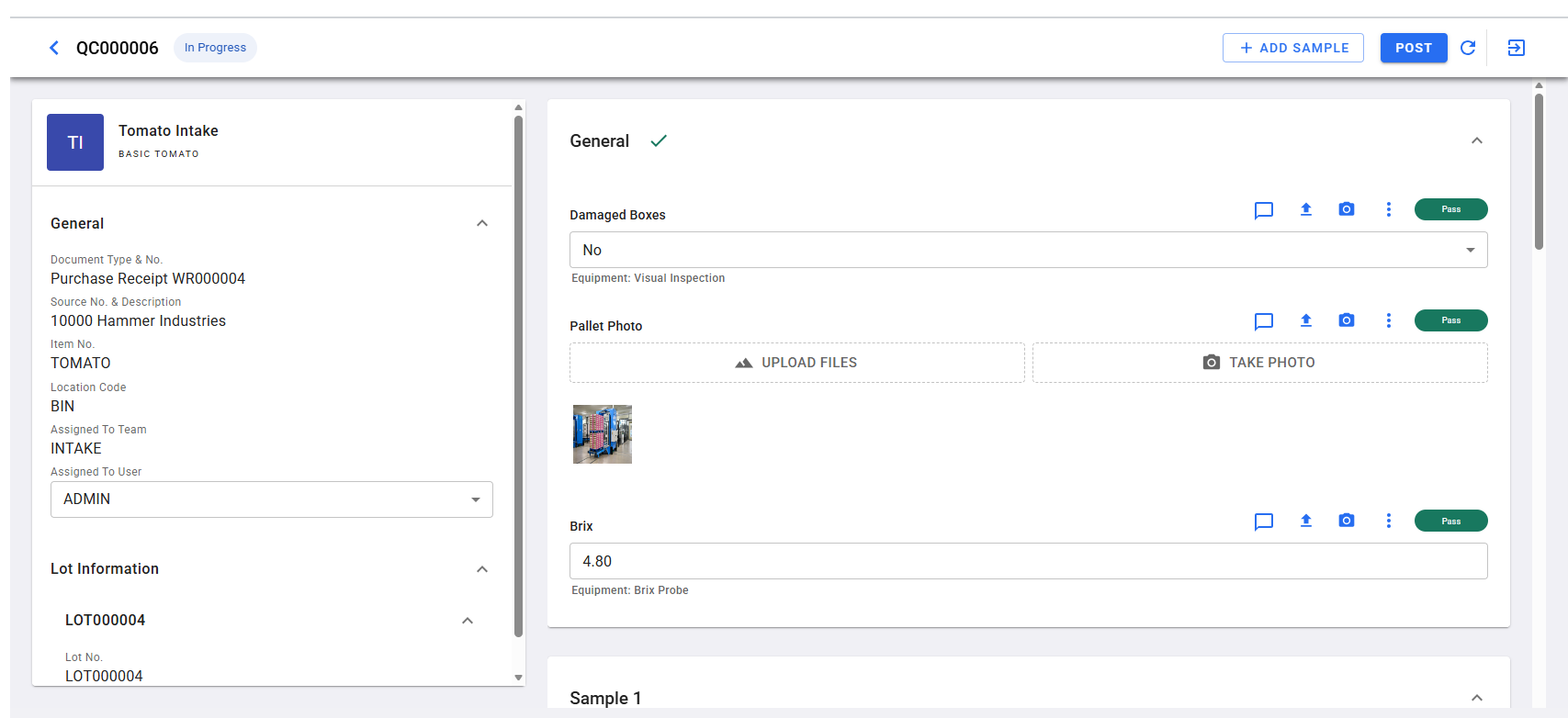
BRIX is Per Test because one sugar reading is recorded for the delivery and written to the received lot. DMG and PHOTOPALL describe the consignment as it arrived, not an individual sample.
The two calculated lines
MAJOR and MINOR are not answered by the inspector. Select Is Calculated Formula on each line, then enter the expression in the Formula field. A formula refers to other lines by their formula symbol in square brackets, so ([DECY] + [MOLD]) / [QTY] * 100 reads as "decay plus mold, as a percentage of the units examined".
Because both calculated lines and all their inputs are Per Sample, each sample's percentage is worked out from that sample's own answers. Sample 1 counts never mix into Sample 2's result. The value recalculates as soon as any input on that sample is entered or changed, and the line is read-only in the Quality Control App.
Two constraints apply to a calculated line: Readings must be 1, and Formula Symbol cannot be set — a calculated line is a result, not an input.
On the check, the two calculated lines sit at the foot of each sample and are greyed out, while the mandatory counts above them are marked with an asterisk:
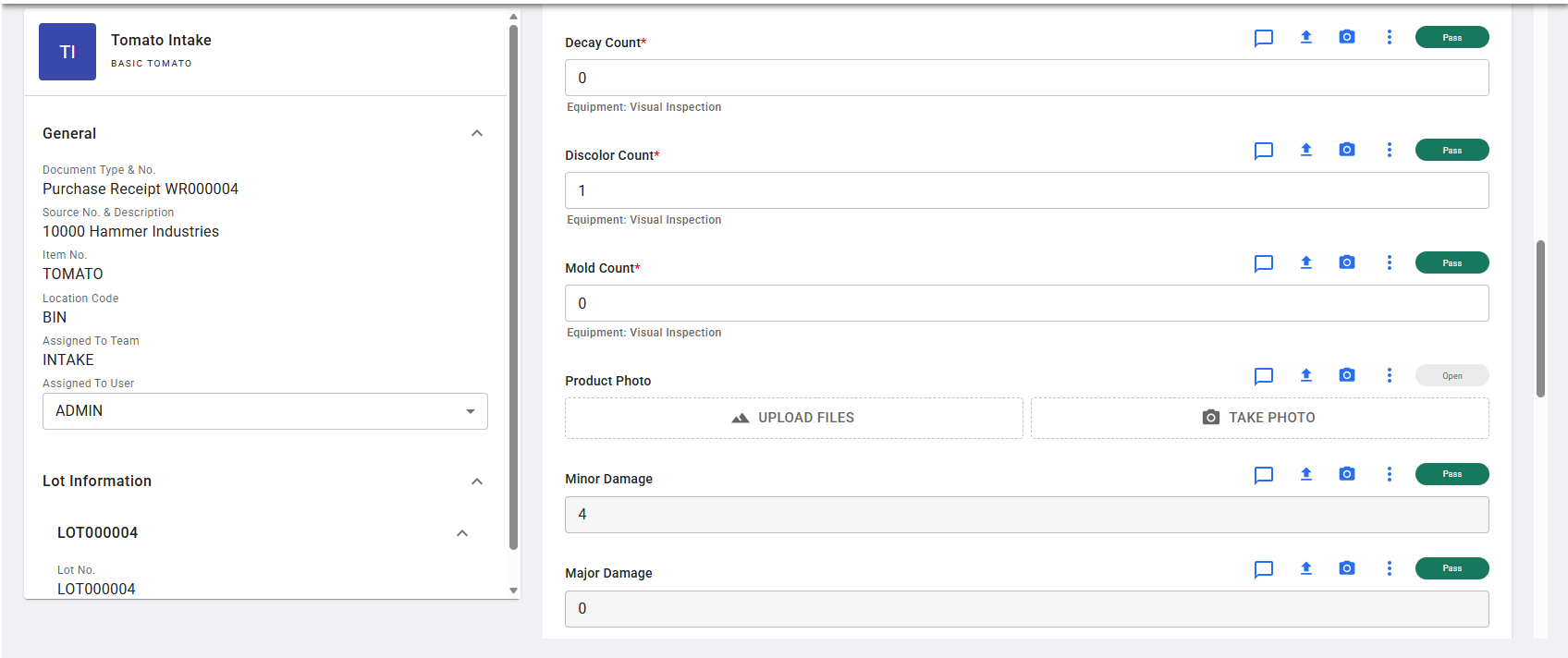
Why the counts are mandatory
Scoring only looks at lines that have an answer. A criterion whose questions are all unanswered is treated as satisfied, so an empty check would otherwise be graded on nothing. Marking the counts and the sample quantity as Mandatory stops the check from being posted with those answers missing.
MAJOR and MINOR are mandatory for the same reason. If Sample Quantity is answered as zero, the percentage cannot be worked out and the line is left blank rather than raising an error — making the calculated lines mandatory turns that silent gap into a posting error.
Leave the plan uncertified for now
A plan must be Certified before it can be used, and certifying validates every formula on the plan and the lot attribute lines. Scores, however, can only be edited while the status is New or Inactive.
So leave Status as New, configure the scoring, and certify the plan once the scores are in place.
For the full field reference, see Set up quality control plans and Calculated tests.
Next step: Add the line targets