Correct output quantities
To reduce the quantity of an output previously registered to the production order, select the correct output action on the Outputs page. The correct output action is represented by a pencil icon in the Actions column of the output registrations table. Selecting the correct output action opens the Output Correction screen.
Output correction screen
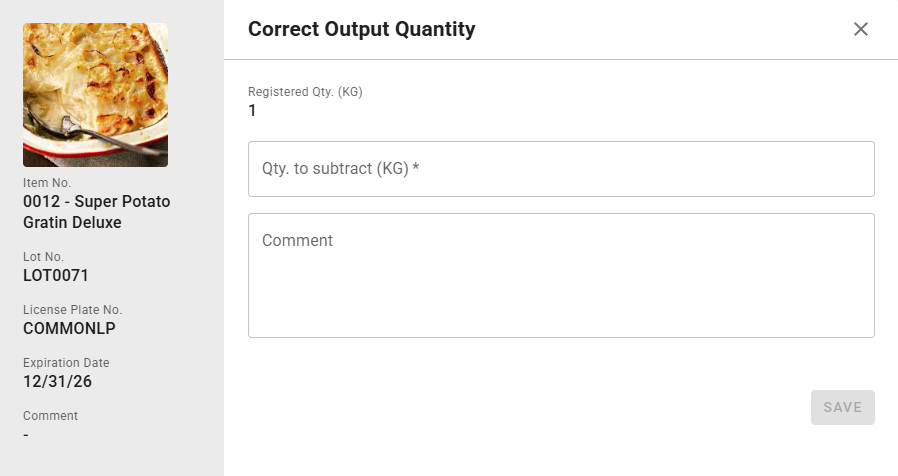
The output correction screen is where you specify the exact output reversal you are looking to accomplish. On the left-hand side of the screen, a details sidebar shows various pieces of information about the chosen registration including the lot number, license plate number, and expiration date. To correct output, follow these steps:
- Enter a quantity to subtract from the existing output registration. The default value of this field is 0.
- Optionally, specify a comment detailing the reason for the correction.
- Select the Save button.
When the pop-up closes, the Outputs screen will refresh to reflect the updated registration.