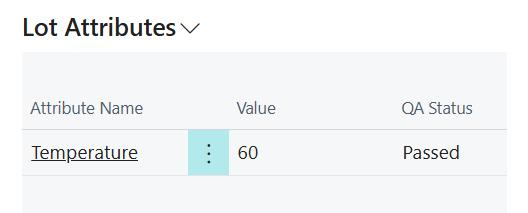
View QA status on lot attributes
When a quality check is posted, the system automatically sets the QA status on lot attribute values if the check line question is configured with a Set or Check and Set lot attribute action. This requires the Aptean Advanced Attributes extension to be installed. For more information, see Aptean Advanced Attributes.
View the QA status on a lot attribute
Select the Search icon, enter Lot No. Information, and choose the related link. Select a lot from the list, then select Attributes on the action bar to open the Lot Attribute Values page. The QA Status column shows the quality control result assigned to each lot attribute value:
- Pass — the lot attribute passed quality control testing.
- Fail — the lot attribute failed quality control testing.
- Pass(Warning) — the lot attribute passed with a warning result.
When the field is blank, no QA status has been assigned to that attribute value.
The QA status is set automatically when a posted check line updates a lot attribute using the Set or Check and Set action. It reflects the result of that check line. The status is not applied retroactively to lot attribute values that were set before quality control testing was configured.
The QA Status field can also be updated manually, regardless of whether the value was previously set automatically.
For example, to confirm that a lot attribute met quality requirements after posting a check, open Lot No. Information, select the relevant lot, and select Attributes to review the QA Status column.