WMS App on the handheld device
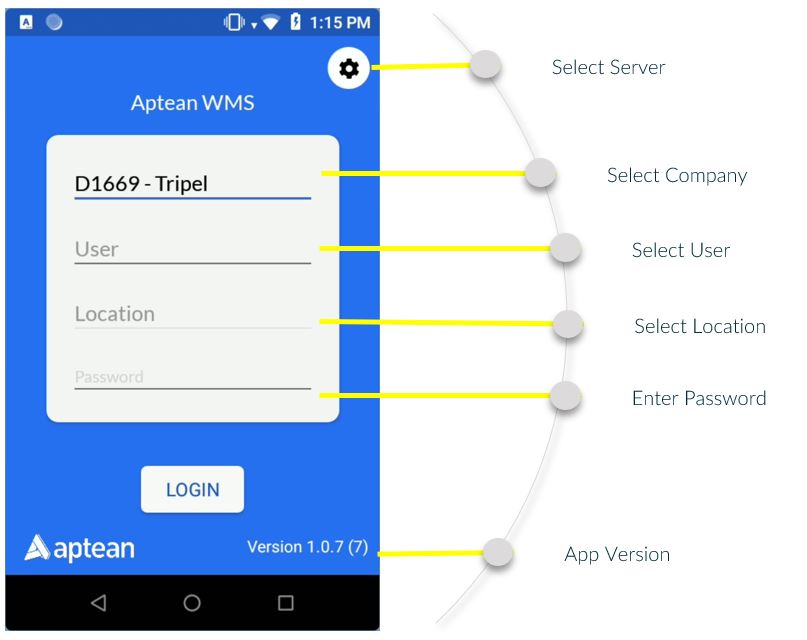
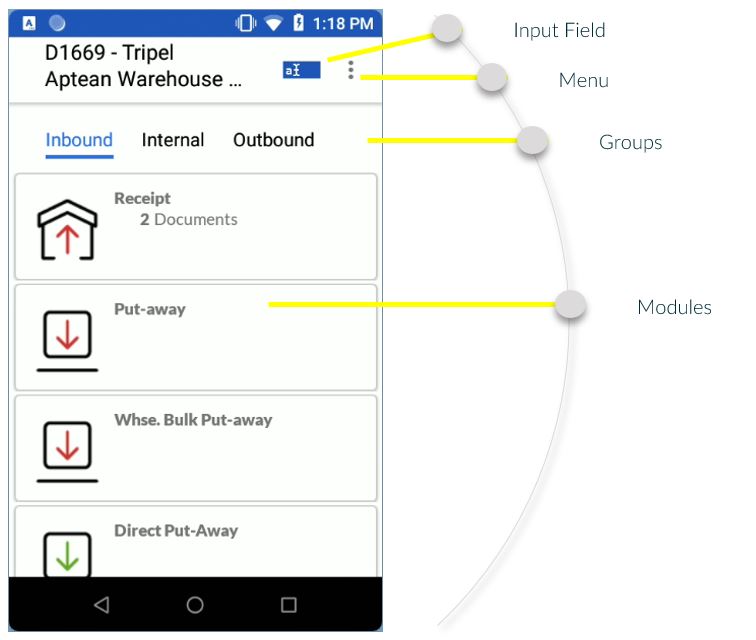
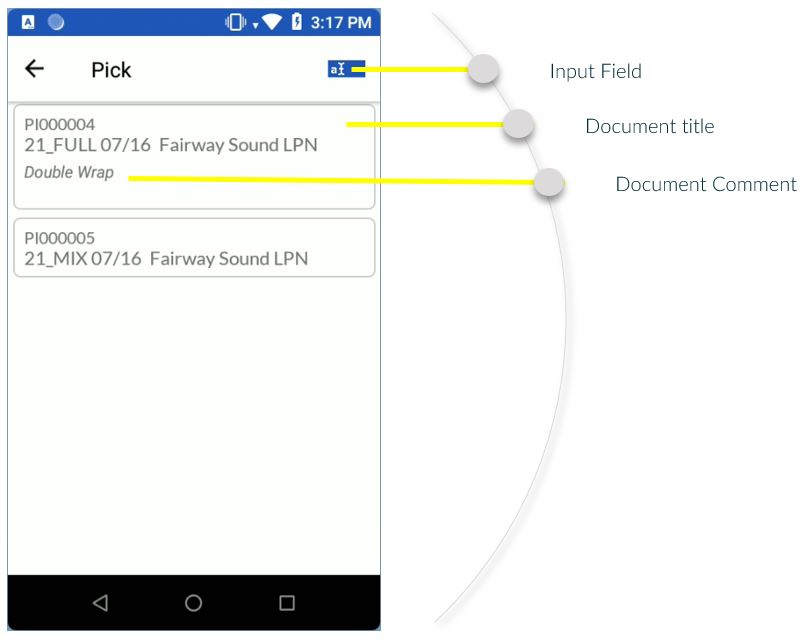
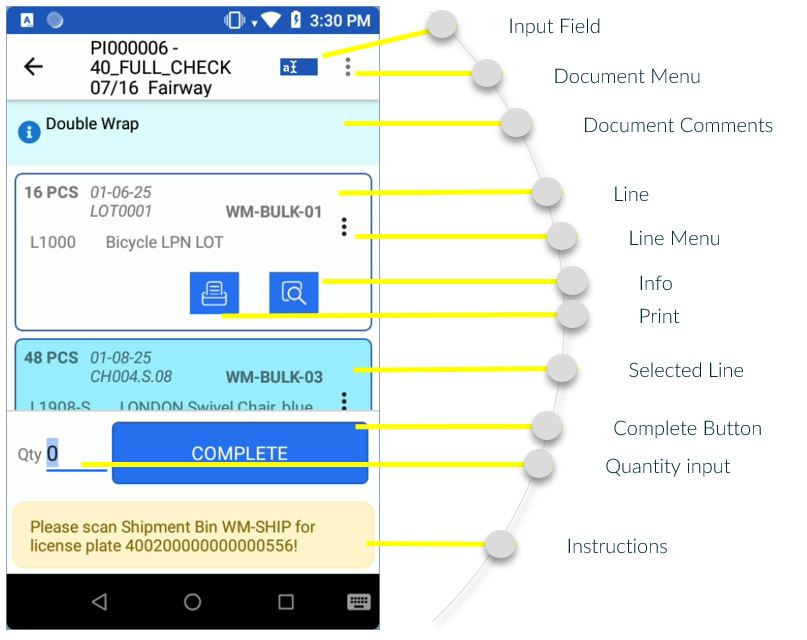
The following pictures describe the terminology for the screens, fields, modules on the WMS android app.
Login Screen
Menu
Document List
Item List
WMS DataWedge Profile
To use the WMS App on a scanner with a Zebra CPU, the WMS App will create a DataWedge Profile to communicate.
This profile WMS DataWedge profile is only ever created from scratch if there is no profile called WMS. If profile called WMS exists, it does nothing on startup.
When entering the WMS app options page, changing any option on the page only changes that one setting in the WMS DataWedge profile (via UPDATE not full OVERWRITE), it will not re-associate the app or make any other changes besides toggling that one option

When the user has another profile currently associated with the WMS app, it will show a warning, since changing the options on the scanner page only ever changes the WMS profile, not the custom profile, so essentially the scanner options page doesn't do anything in this scenario (it always worked like this, figured a user should know why the page wasn't working though).
The reset button on the Scanner Options page now shows a warning before it executes, since this will wipe and reset the WMS DataWedge profile, and potentially re-associate it with the WMS app, if it is not blocked from doing so.
